宝塔面板无法安装php5.x 7.x 解决方法
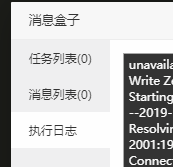
  • 查看执行日志,报错为:


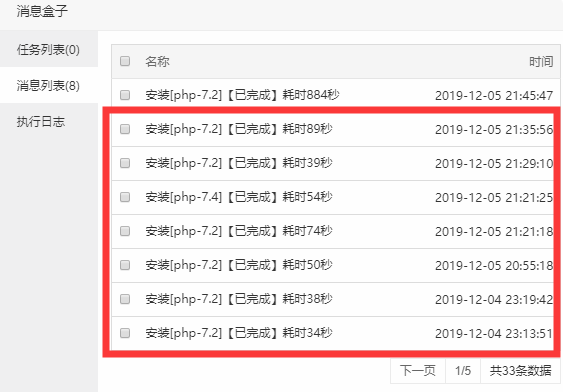
安装记录都是几十秒几十秒的

configure: WARNING: Fallback: search for curl headers and curl-config
checking for cURL in default path... not found
configure: error: Please reinstall the libcurl distribution -
easy.h should be in <curl-dir>/include/curl/
make: *** No targets specified and no makefile found. Stop.
make: *** No rule to make target `install'. Stop.


  • 原因是因为之前更新过curl/openssl版本,服务器是挺早之前装的宝塔,导致curl里的openssl版本跟openssl版本不一致导致无法正常安装。


  • 解决方法:

进ssh 执行以下命令,权限不够就加上sudo 或 切换 root 用户执行

apt-get remove curl
rm -rf /usr/local/curl
apt-get remove libcurl3
apt-get install curl
apt-get install libcurl3

(系统 Ubuntu/Debian)

重新安装curl和libcurl3后再去宝塔面板安装php即可。

评论

  1. 1111
    6年前
    2020-5-31 14:27:30

    在那里进行apt-get remove curl

    • Mr.Awesome Macro
      博主
      1111
      6年前
      2020-5-31 14:28:34

      你的服务器终端

  2. 大王啊
    5年前
    2021-10-22 15:04:44

    完美解决,感谢大佬

    • 博主
      大王啊
      5年前
      2021-10-22 15:07:00

      @(击掌)不客气

  3. 西柚
    5年前
    2022-1-27 11:59:49

    解决了,感谢大佬

发送评论 编辑评论


|´・ω・)ノ
ヾ(≧∇≦*)ゝ
(☆ω☆)
(╯‵□′)╯︵┴─┴
 ̄﹃ ̄
(/ω\)
∠( ᐛ 」∠)_
(๑•̀ㅁ•́ฅ)
→_→
୧(๑•̀⌄•́๑)૭
٩(ˊᗜˋ*)و
(ノ°ο°)ノ
(´இ皿இ`)
⌇●﹏●⌇
(ฅ´ω`ฅ)
(╯°A°)╯︵○○○
φ( ̄∇ ̄o)
ヾ(´・ ・`。)ノ"
( ง ᵒ̌皿ᵒ̌)ง⁼³₌₃
(ó﹏ò。)
Σ(っ °Д °;)っ
( ,,´・ω・)ノ"(´っω・`。)
╮(╯▽╰)╭
o(*////▽////*)q
>﹏<
( ๑´•ω•) "(ㆆᴗㆆ)
😂
😀
😅
😊
🙂
🙃
😌
😍
😘
😜
😝
😏
😒
🙄
😳
😡
😔
😫
😱
😭
💩
👻
🙌
🖕
👍
👫
👬
👭
🌚
🌝
🙈
💊
😶
🙏
🍦
🍉
😣
Source: github.com/k4yt3x/flowerhd
颜文字
Emoji
小恐龙
花!
上一篇
下一篇